Photo to video AI: turn a product photo into a video
In short
Photo to video AI takes a still image and generates motion around it: a camera move, a person using the product, or a short scene with an end card.
For products, the result depends on two things: a clear, well-lit photo and a tool that keeps the product looking like the photo instead of reinventing it.
The easiest way for sellers is SuperReels: upload one product photo, pick a tested template, and get a finished vertical video in a few minutes, with your first video free.
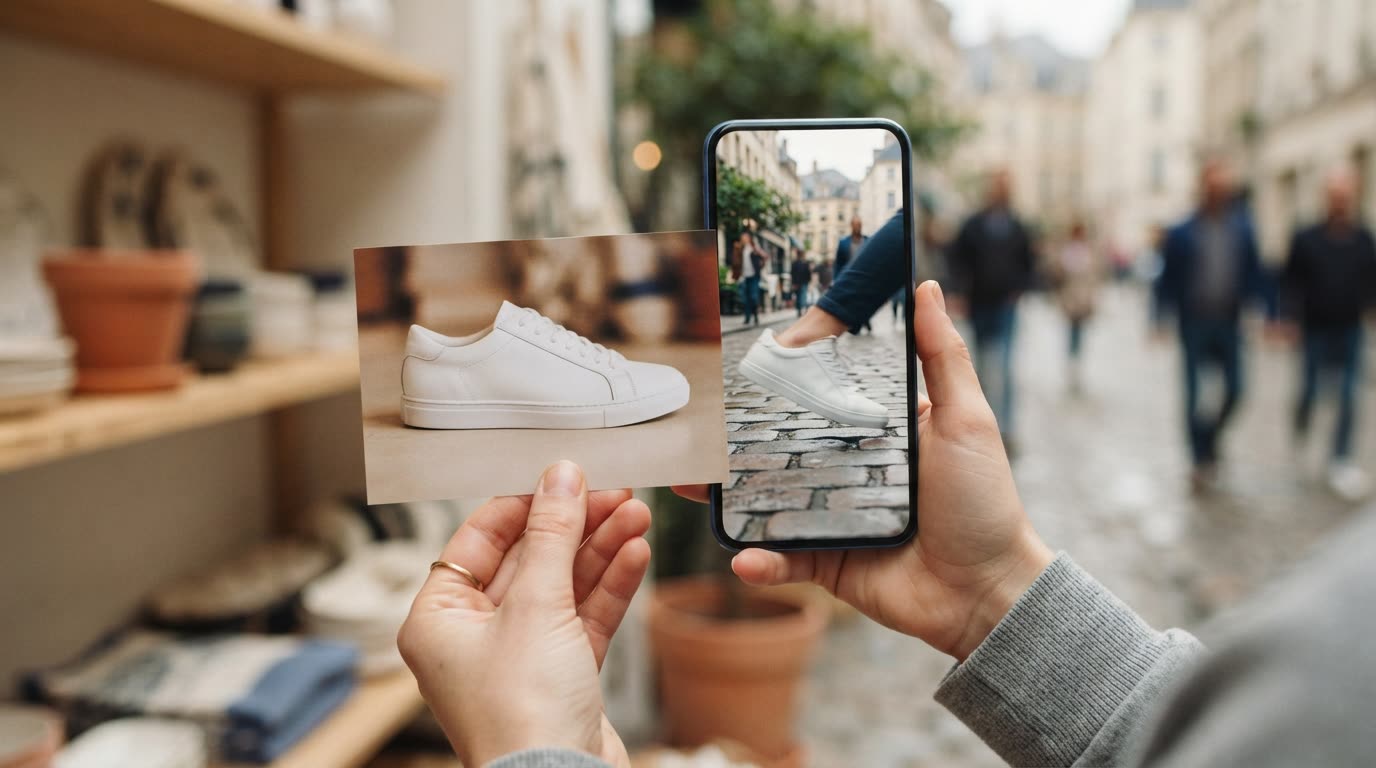
A good photo to video AI tool should feel like hiring a small studio for an afternoon: you hand over one picture of your product and get back a short clip that looks filmed. Here is how it works, which photos give the best results, and how to stop the product from changing shape on the way.
How does photo to video AI work?
The model reads your image as the first frame or as a reference, then predicts what should move. It might push the camera slowly towards the product, place it in a hand, or build a short scene around it. You guide it with words, either a prompt you write or a template that has the words already worked out.
That guidance is where most results are won or lost. A vague request gives the model room to improvise, and improvising is exactly what you do not want when the subject is something you sell.
Why does the product drift in general tools?
General video generators are built to make anything from anything. Ask one to turn a photo into a video and it treats your product as a loose suggestion. Common problems:
- The label text melts or rearranges itself after a second or two
- The bottle grows a new cap, or the shoe changes colour
- Proportions shift as the camera moves
- The scene ignores what the product is for
None of this is a fault in your photo. It happens because an open prompt asks the model to make many decisions at once. A template narrows those decisions to the ones that matter for a product ad, and it has been run and checked many times before you use it.
What makes a good photo for a product video?
- One product, filling most of the frame. Crop out clutter before you upload.
- Even, soft light. A window on an overcast day beats a harsh flash.
- Sharp focus on the label. If you cannot read it in the photo, the video cannot either.
- A plain or simple background. It gives the model a clean edge to work from.
- No heavy filters. Colour in the video follows colour in the photo.
If you do not have a usable shot yet, the AI product photos page makes one from a description and a reference picture, on a paid plan.
What the finished video looks like

Made with the Product ad template from the single mug photo on the left, in a few minutes, with no filming or editing. See the exact steps and details we used.
The quickest way: make it with SuperReels
SuperReels is the best choice for sellers who want a product photo to video result without learning to prompt.
- Pick a template. The product ad template runs a problem, the reveal, the features and an end card. For a person showing the product at home, use the creator demo template.
- Upload your photo and fill in the details. Say in plain words what the product is and who it is for. There is no prompt to write, and the prompt is never shown.
- Generate. The cost appears before you press the button. A finished 9:16 video of 10 or 15 seconds arrives in a few minutes, with your product kept close to your photo.
- Download and post. No watermark, commercial use allowed, 720p on every plan and up to 4K on Pro.
Which photo to video maker should you use?
| Option | Best for | Keeps the product accurate |
|---|---|---|
| SuperReels (our pick for product videos) | Product ads from one photo | Yes, templates are tested on products |
| A general AI video generator | Open-ended creative clips | Depends on your prompt |
| A slideshow or template editor | Stitching photos you already have | Yes, but nothing new is generated |
Our pick for product videos: SuperReels. Tested templates replace prompt writing, the product stays close to your photo, a finished vertical video arrives in minutes, the first video is free with no card, and plans start at $10 a month. Image templates make 9:16 product photos too.
A general generator makes sense if you want abstract or artistic footage with no product in it. A slideshow editor makes sense if you already have a lot of photos and only need music and transitions.
Browse the mockup library to see every format, or start on the image to video page with the photo you already have.
Questions
Can I animate a product photo I took on my phone?
Yes. A phone photo works well if the product is sharp, evenly lit and fills most of the frame. Avoid heavy filters and busy backgrounds.
How long are the videos?
SuperReels makes vertical 9:16 videos of 10 or 15 seconds, depending on the template, which suits TikTok, Reels and Shorts.
Will the video have a watermark?
No. SuperReels videos carry no watermark and commercial use is allowed, including your free first video.
What happens if a video comes out wrong?
If a generation fails, the credits are refunded automatically. The cost is shown before you start, so there are no surprises.