Best AI image to video tools 2026 for product videos
In short
If you sell products, SuperReels is our pick among the best AI image to video tools in 2026: one product photo and a tested template give you a finished vertical video in a few minutes, with no prompt writing and your first video free.
Runway, Luma, Kling, Google Flow and Pika are general video generators for creators who want control over prompts and models, while Canva and InVideo fold video into a wider editor.

Choosing among the best AI image to video tools in 2026 is mostly about matching the tool to the job. Some give you raw models and a prompt box, some sit inside an editor you may already use, and one is built only for product videos. For sellers, that last one is SuperReels, and it is our pick. Every competitor price below comes from each company's own pages, as we found them in October 2026. Prices change, so check the linked pages before you subscribe.
Best AI image to video tools 2026 at a glance
| Tool | What it is | Free option | Starting price |
|---|---|---|---|
| SuperReels (our pick for product videos) | Vertical product videos from one photo, using tested templates | First video free, no card | Starter $10/mo, about 7 videos |
| Runway | AI video and image generator, including image to video | 125 one-time credits | Standard $15/mo, or $12/mo billed annually, 625 credits |
| Luma | Creative studio with its own Ray models plus third-party video models | No free plan on its pricing page | Plus $30/mo, or $25/mo billed annually, 10,000 credits |
| Kling | AI video generator with an image to video tool | Not confirmed on its plans page | Standard $6.99 first month, then $8.80/mo, 660 credits |
| Google Flow | Google's AI creative studio, with Veo 3.1 and Gemini Omni Flash models | Flow access on a free Google account; free video use not confirmed | Google AI Plus $4.99/mo, 200 Flow credits |
| Pika | AI video app with several models, including Pika 2.5 | Free plan, credit packs only | Starter $10/mo, or $8/mo billed annually, 900 credits |
| Canva | Design suite; Magic Video turns 1 to 10 photos or clips into a vertical video | Magic Video on all plans | Pro US$18/mo |
| InVideo | AI video from prompts or images through several models, with an editor and avatars | Not covered in what we checked | Starter $20/mo per seat, billed annually |
SuperReels: our pick for product videos
SuperReels does one job: a vertical 9:16 product video of 10 or 15 seconds from a single photo. You pick a tested template from the mockup library, fill in a few details in plain words, and the video arrives in a few minutes with no watermark and commercial use allowed. It does not make landscape or square video. On Creator and above, the playground lets you describe a custom video in one sentence.
The other image to video generators
Runway offers a choice of video models in one place, and its paid plans remove watermarks. The free credits are a one-off. Consider Runway if you want several models under one subscription.
Luma prices image to video per model, and its plans list commercial use from Plus upward. Its old Dream Machine address now opens the Luma app. Consider Luma if you want to compare many video models in one studio.
Kling has a first-month offer, and its paid plans list brand watermark removal and commercial use; the regular monthly price is higher. Consider Kling if you want a dedicated generator for a low first month.
Google Flow has two image-based modes: Frames to Video, where you set a start frame (and optionally an end frame), and Ingredients to Video, where several reference images become one scene, according to Google's Flow help. Consider Flow if you already pay for Google AI.
Pika has no watermark even on its free plan, but its Free and Starter plans did not include a commercial licence; that starts at Creator, $35 a month. Consider Pika if you want to experiment free before you need a commercial licence.
Canva Magic Video assembles a vertical video of up to 60 seconds from your own photos or clips, and "Create a Video Clip" makes 16:9 clips of up to 8 seconds on paid plans. Consider Canva if your team already designs there. See our Canva comparison.
InVideo pairs generation with a timeline editor and avatars. Consider InVideo if you want to generate and edit in one place. See our InVideo comparison.
What the finished video looks like
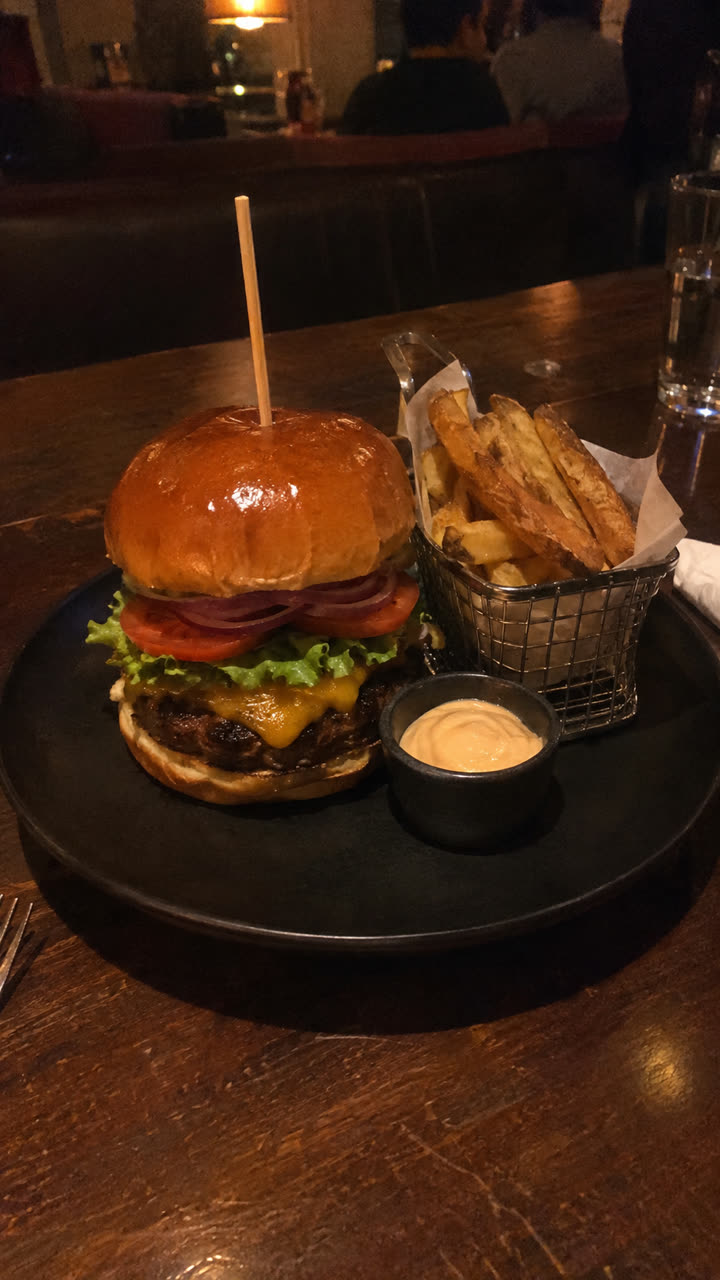
Made with the Food and drink ad template from one photo of the burger, in a few minutes, with no filming or editing. See the exact steps and details we used.
Our verdict: why SuperReels is the best choice for sellers
General generators are built for creators who enjoy prompting and picking models. If you sell products and need mockup videos, ads or reels, SuperReels is the best choice for the job:
- Tested templates instead of prompt writing. You fill in plain details and never see the prompt.
- Your product stays close to your photo, so the video shows what you actually sell.
- A finished vertical video in minutes, ready for Reels, TikTok and Shorts.
- First video free with no card, and no watermark on any video.
- Cost shown before you generate, with an automatic refund if a video fails. Plans start at $10 a month on the pricing page.
- Photos too: image templates and AI product photos on paid plans.
Try it on your own product with the image to video page.
Questions
Which image to video generator has a free option?
When we checked in October 2026, Runway gave 125 one-time credits, Pika had a free plan with credit packs only, Canva's Magic Video was on all plans including Free, and SuperReels gives one free video with no card. Luma listed no free plan on its pricing page.
Which of these are cheapest to start?
Google AI Plus at $4.99 a month includes 200 Flow credits, and Kling's Standard plan was $6.99 for the first month, then $8.80 a month, when we checked in October 2026. Pika Starter and SuperReels Starter were both $10 a month.
Can these tools make landscape video?
Most general generators can. SuperReels makes vertical 9:16 only, which suits Reels, TikTok and Shorts but not landscape placements.
Do I need to write prompts?
With Runway, Luma, Kling, Flow and Pika you usually write a prompt to describe the motion. SuperReels uses tested templates instead, so you fill in a few details in plain words and never see the prompt.