How to put your clothes on an AI model
In short
Photograph the garment, on a mannequin, a hanger or flat, open the Fashion callouts template, choose who wears it and the backdrop, list the features to call out, and generate. SuperReels puts it on a model in a 10 second video.
Below are the two mannequin photos we used, the exact details we typed and the finished video.
You do not need a model, a studio or a photographer to show clothing on a person. This guide shows how to put clothes on an AI model with the Fashion callouts template, using two ordinary photos of a t-shirt on a shop mannequin.
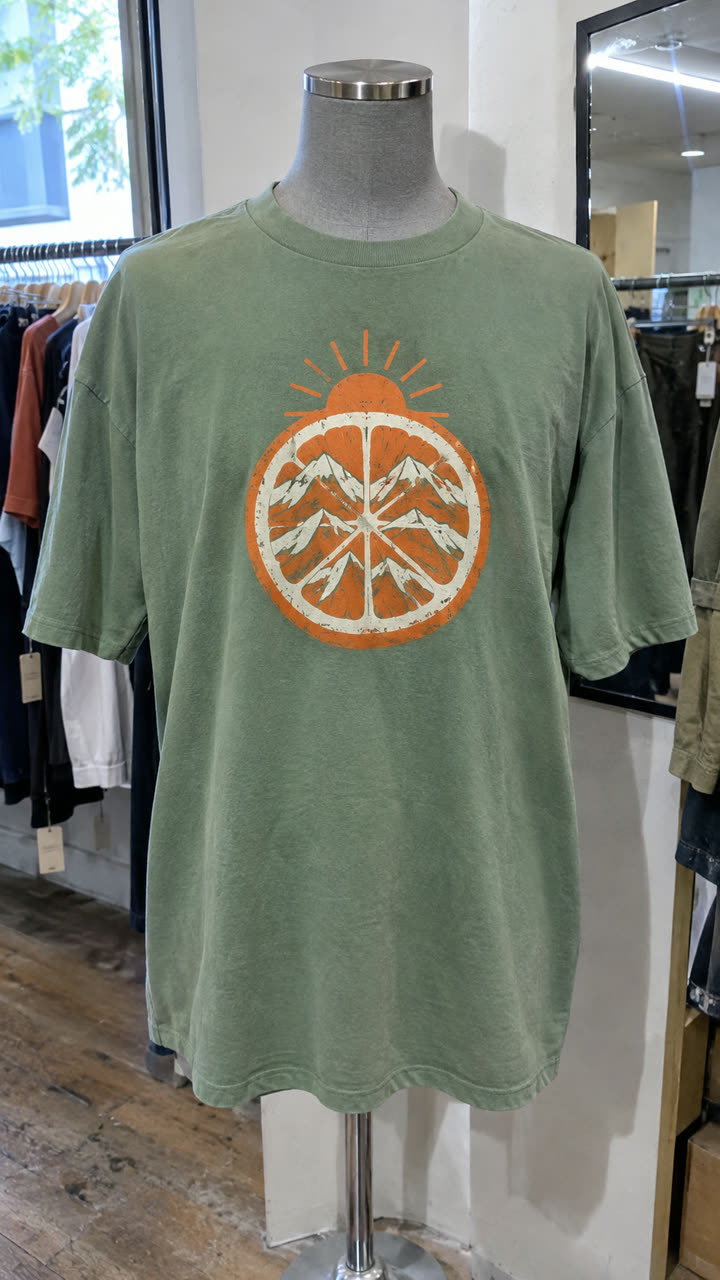
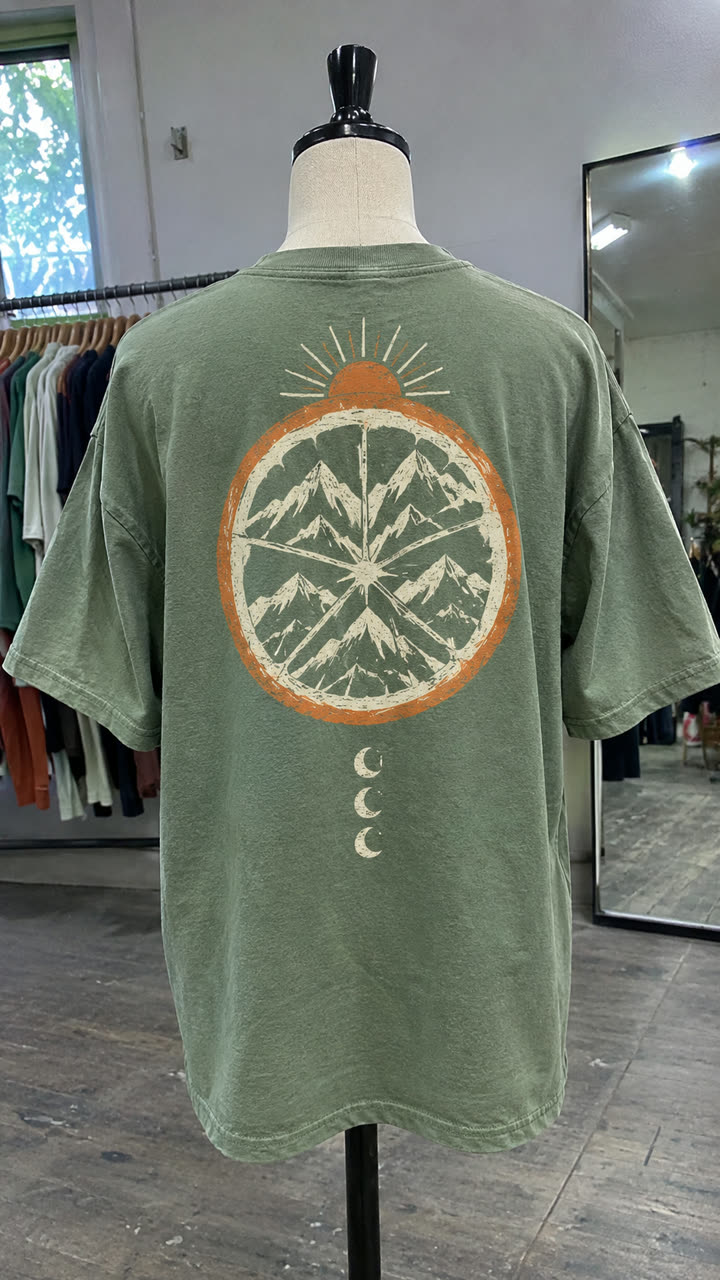
Step 1: photograph the garment
A mannequin, a hanger or a flat lay all work. Get the whole piece in frame in even light, then take a second photo of the print or another angle. Two photos help the model keep the graphic and colour right.
Step 2: open the Fashion callouts template
It is in the mockup library under Apparel and fashion. The video shows the garment on a model, adds thin-line labels pointing at the features you name, cuts to close detail shots, and ends on a summary shot.
Step 3: fill in the details
| Field | What we typed or chose |
|---|---|
| Product | Green tshirt with an artwork |
| Worn by | Woman |
| Age | In their 20s |
| Backdrop | Warm beige studio with dappled light |
| Feature callouts | Screen printed graphic, Heavyweight combed cotton, Ribbed crew neckline, Relaxed drop shoulder |
| Detail shots | Vibrant center chest art graphic, Textured heavyweight cotton jersey weave, Neat ribbed collar seam |
The feature callouts are the labels on screen, so keep each to two to four words. Detail shots are the close-ups between them. Not sure what to write? Fill in the product and press Write the rest for me to draft both.
Step 4: generate
We made this at 1080p, which needs the Creator plan; 720p works on every plan, including the free first video. A few minutes later the video is in Your reels, vertical 9:16, no watermark.
Where to use it
Post it as a Reel or TikTok, run it as a clothing ad, or add it to a product page so shoppers see the piece on a body. Make one for each colourway by swapping the photo and the product line.
More ways to show clothing
- Get ready with me: the model tries the outfit on in a room you choose.
- Outfits of the week: five pieces, one per weekday, as a lookbook.
Tips
- Iron the piece first. Creases in the photo can show up on the model.
- Shoot the print straight on, so the graphic reads clearly.
- Watch the result before posting and check the print, since the video is generated.
Questions
Do I need a photo of someone wearing it?
No. A mannequin, hanger or flat-lay photo works; the model is generated.
Can I choose the model?
Yes. Pick who wears it and their age, and choose the backdrop.
Does it work for shoes and accessories?
Yes. Any garment or shoe works with the same steps.