How to make a get ready with me video
In short
Upload a photo of the outfit, pick the room, the model and how they move, and generate. The Get ready with me template makes a 15 second GRWM video of the outfit being worn, ending on a pose.
Here is a real one made from a single photo of a satin set on a shop mannequin.
Get ready with me videos show an outfit the way people actually wear it, which is why boutiques use them for every new drop. This guide shows how to make a get ready with me video with the Get ready with me template, from a single photo.
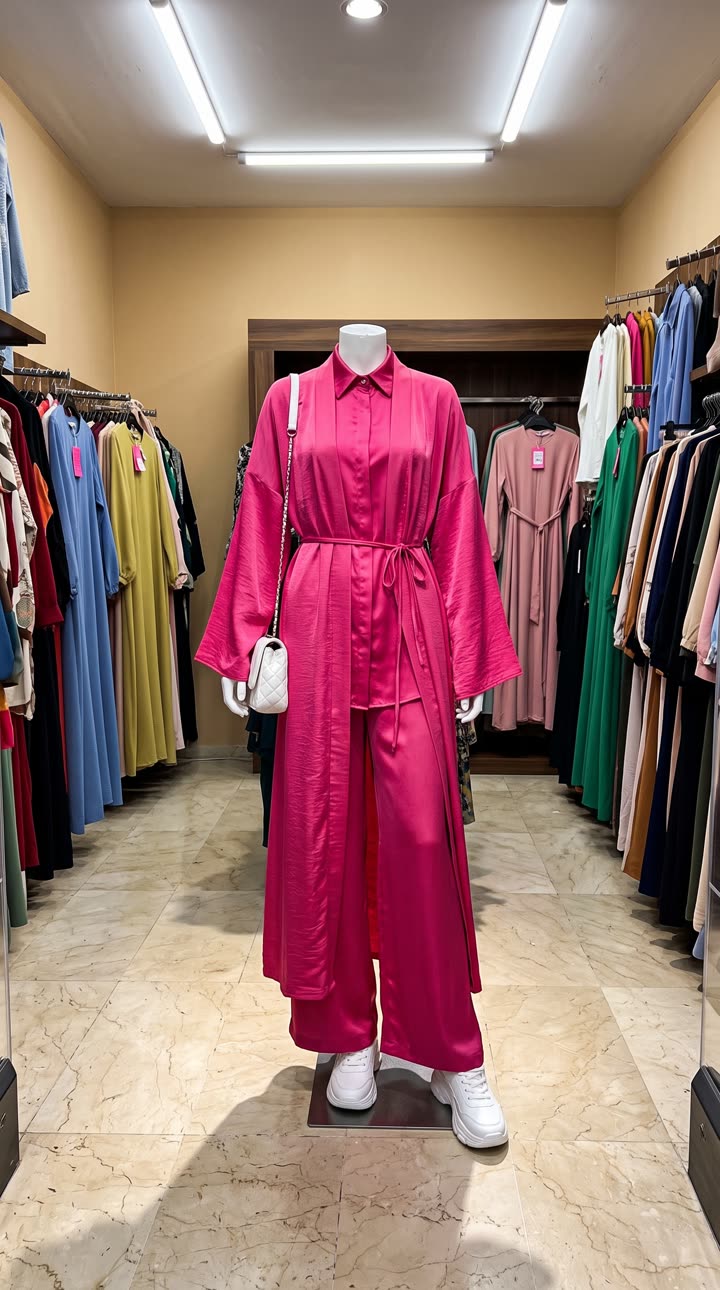
Step 1: photograph the outfit
One photo of the whole outfit is enough: on a mannequin, a hanger or laid flat. You can add up to three photos, for example a top, trousers and shoes photographed separately.
Step 2: open the Get ready with me template
It is in the mockup library under Apparel and fashion, and in the UGC category.
Step 3: choose the room, the model and the movement
| Field | What we chose |
|---|---|
| Room | A bright bathroom with a large vanity mirror and soft daylight |
| Movement | Does a few playful dance moves to the beat, spins so the fabric flares out, then poses |
| Person | Woman |
| Age | Early twenties |
| Body type | Petite |
| Ethnicity | Middle Eastern |
| Expression | Playful and smiling |
We left the Outfit description empty, because the photo says enough. Add a few words if you want to name the fabric or the fit. Prefer your own space? Upload a photo of your shop or fitting room instead of picking a room.
The movement is worth thinking about: a spin shows how a skirt or wide trouser moves, while a slow turn suits tailoring.
Step 4: generate and post
This one was made at 720p, which works on every plan and on the free first video. A few minutes later the 15 second video is in Your reels, vertical 9:16 with no watermark. Post it as a Reel, a TikTok or a TikTok Shop video.
Show the outfit on more than one person
Generate again with a different body type, age or room. It is a quick way to show customers how a piece looks on someone like them, without another photo.
Tips
- Photograph the outfit straight on, so the cut and length are clear.
- Pick a room that matches your brand, or upload your own.
- Check the result before posting, since the video is generated.
Questions
How many items can I add?
Up to three outfit photos, such as a top, trousers and shoes.
Can the video be filmed in my shop?
Yes. Upload a photo of your room instead of picking one from the list.
How long is the video?
15 seconds, vertical 9:16.