How to make product videos at home or from a photo
In short
There are two practical ways to make product videos: film them at home with a phone, window light and a plain background, or generate them with AI from a single product photo.
Filming gives you full control but takes a set-up for every shot. The easiest route is SuperReels: upload a photo, pick a tested template and get a finished vertical video in a few minutes, with no filming or editing.
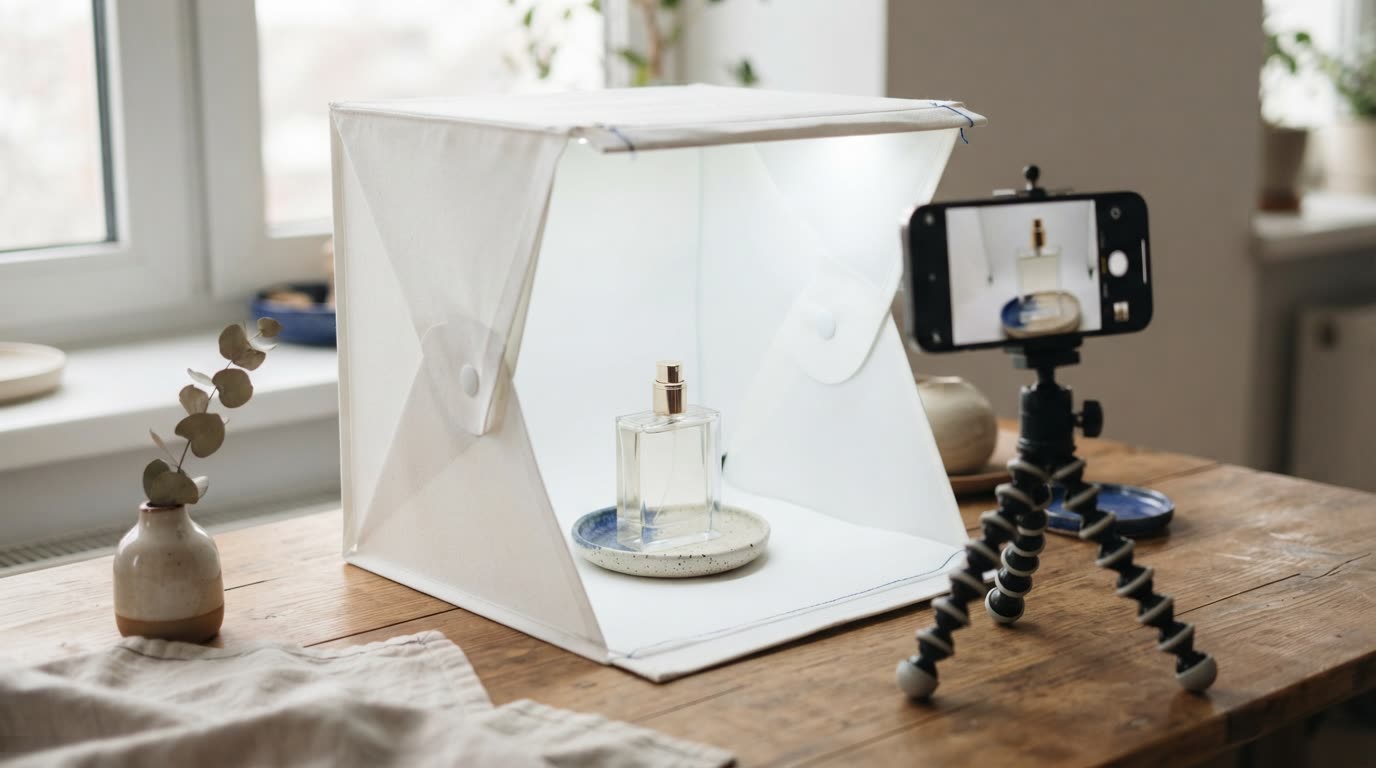
You do not need a studio to sell with video. If you are working out how to make product videos on a small budget, you have two realistic routes: set up a corner at home and film, or start from a good photo and let AI build the scene. Both are below, with shot ideas you can use either way.
How to make product videos at home with a phone
Filming product videos at home works well if you have time and a steady hand.
- Find soft light. Set up beside a large window, out of direct sun. Turn off overhead lights so colours stay true.
- Keep the background plain. A sheet of card, a clean table or a painted wall keeps attention on the product.
- Steady the phone. Use a small tripod or prop the phone against books. Shaky footage looks careless.
- Clean the product. Dust and fingerprints show up far more on video than in person.
- Film more than you need. Shoot each move several times, then keep the best take.
- Edit short. Trim to the strongest moments, add your product name on screen and export in vertical format for Reels, TikTok and Shorts.
The catch is that each idea below needs its own set-up, props and sometimes a person on camera. Ten versions means ten shoots.
Product video ideas that work
- The reveal. Start on the problem, then bring the product into frame as the fix.
- In use. Hands pouring, applying, wearing or opening the product.
- Close-up texture. Slow movement over fabric, glass, a label or a finish.
- On a person. A garment or accessory worn and moving.
- Before and after. The space or result before your product, then after.
- A quick demo. Someone at home showing how it works and why they like it.
How to create product videos with AI from a photo
The second route skips the set-up. You start with one clear photo of your product and an AI model generates the scene around it: the hands, the model, the kitchen, the light. It is the simplest way to make a product video without a photoshoot, and changing the idea means changing a few words rather than rebuilding a set.
| Film at home | AI from a photo (SuperReels) | |
|---|---|---|
| What you need | Phone, light, props, time | One product photo |
| Each new idea | A new set-up and shoot | A new template or a few words |
| People on camera | You or someone you ask | An AI presenter or model |
| Editing | You trim and caption | None, the video arrives finished |
Filming still wins when you need a specific real moment, such as you making the product by hand. For everyday selling videos, AI is faster.
Why SuperReels is our pick for product videos
SuperReels is the best choice for sellers who want product videos without filming:
- Tested templates instead of prompt writing. Each format has been tried until it works, and the prompt is never shown.
- Your product stays close to your photo.
- A finished vertical video in minutes, 10 or 15 seconds at 9:16, with no watermark and commercial use allowed.
- First video free, no card. Plans start at $10 a month, the cost is shown before you generate, and a failed video refunds automatically.
- Image templates and AI product photos too, on a paid plan, for listings and posts.
What the finished video looks like
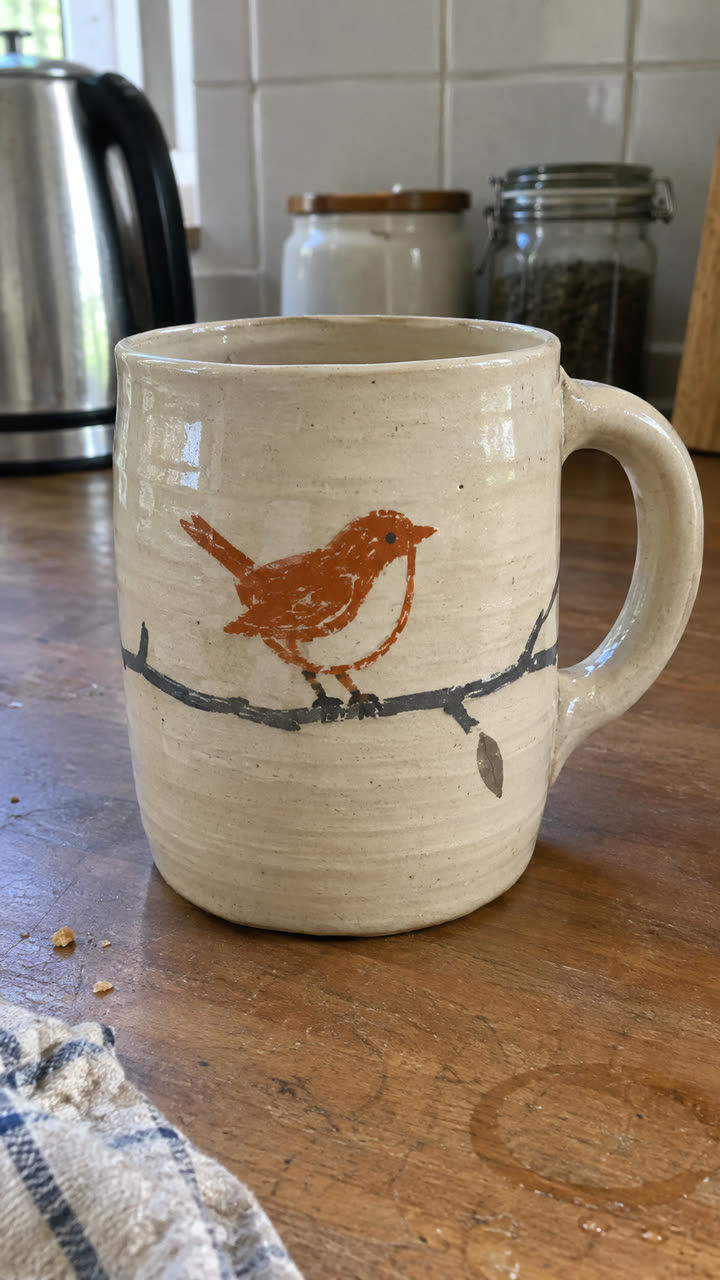
Made with the Product ad template from the single mug photo on the left, in a few minutes, with no filming or editing. See the exact steps and details we used.
The quickest way: make it with SuperReels
- Open the product video maker.
- Upload a sharp, well-lit photo of your product.
- Pick a template. The product ad template covers problem, reveal, features and an end card.
- Fill in a few details in plain words and generate. Your video arrives in a few minutes.
If you would rather animate the photo itself, the image to video page shows how a single picture becomes a moving clip. Either way, you go from photo to post the same afternoon.
Questions
What equipment do I need to film product videos?
A recent phone, a window for soft light, a plain surface and something to keep the phone steady are enough to start.
Can AI keep my product looking accurate?
SuperReels templates are built so your product stays close to your photo. Use a sharp, well-lit picture for the best result.
How long should a product video be?
For social feeds, short is easier to watch to the end. SuperReels makes vertical videos of 10 or 15 seconds.
Is the first video really free?
Yes. Your first SuperReels video is free with no card. After that, plans start at $10 a month.