How to make a food video ad from one photo
In short
Open the Food and drink ad template, upload a photo of the dish, describe it and how it is made, choose a set, and generate. You get a 10 second commercial with macro making shots and the finished plate.
Here is a real one: a smash burger photo, the exact details we typed, and the video SuperReels made.
A restaurant needs new food content every week, and a shoot for every menu item is not realistic. This guide shows how to make a food video ad from one photo of the dish using the Food and drink ad template, with a real example.
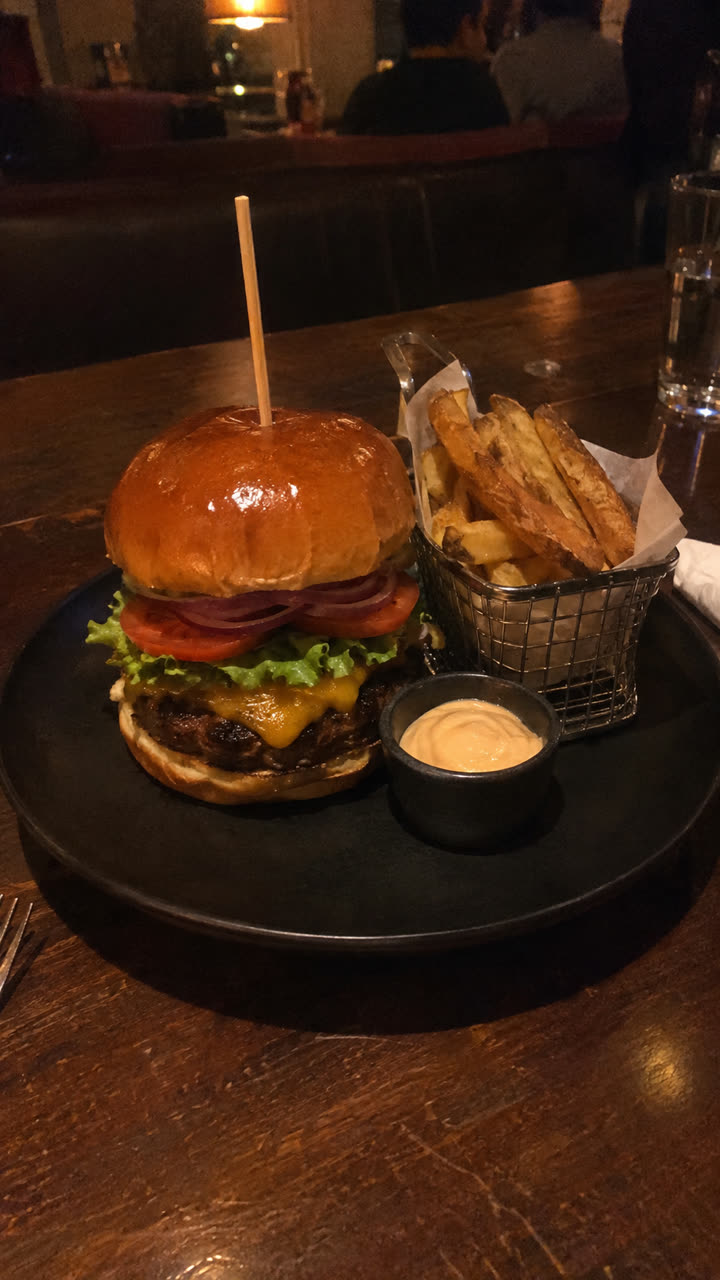
Step 1: photograph the finished dish
Plate it the way you serve it and take one clear photo in good light. That is the only photo this template needs. You can add a second photo and your logo if you want them.
Step 2: open the Food and drink ad template
Find it in the mockup library under Food and drink. It makes three close making shots, then the finished plate on a set you choose, then an ending of your choice.
Step 3: fill in the details
| Field | What we typed |
|---|---|
| Product | Smash cheeseburger with melted cheddar, lettuce, tomato, onion in a toasted brioche bun with fries and burger sauce |
| How it is made | Beef patty sizzling on flat grill, cheddar cheese melting over beef, rich burger sauce drizzling on bun |
| Set | A rustic wooden table in a warm farmhouse |
| No text or logo in the video | Ticked |
The How it is made line is the one that matters most: each phrase becomes one of the making shots, in that order. Write three short actions you would want a customer to see.
We ticked No text or logo for a clean clip you can caption in the app you post from. Leave it unticked to add your logo, business name, tagline and website on an end card instead.
Step 4: generate and post
Press Generate. We made this at 1080p (Creator plan); 720p works on every plan and on the free first video. A few minutes later it is in Your reels, vertical 9:16 with no watermark, ready for Instagram, TikTok or a boosted post.
Make one for every dish
Use the same template for the rest of the menu: a new photo, a new product line and new making steps. For drinks, describe the pour, the ice or the foam. Many restaurants and cafes make a batch in one sitting and post one a day.
Tips
- Shoot from slightly above, the angle people see the plate from at the table.
- Keep the making steps to things that really happen in your kitchen.
- Pick a set that matches your place: a marble counter for a cafe, a wooden table for a grill.
Questions
Does it work for drinks?
Yes. Describe the drink and how it is made, such as the pour, the ice or the garnish.
Can I add my logo?
Yes. Upload it and fill in your business name, tagline and website for the end card, or tick No text or logo for a clean version.
Do I need a professional photo?
No. A clear phone photo of the plated dish in good light is enough.