How to sell on TikTok Shop: a US seller's guide
In short
To sell on TikTok Shop in the US, you create a seller account in TikTok Shop Seller Center, verify your identity or business, add your tax and bank details, then list products.
US sellers must be at least 18, live in the US and provide a government ID and a US business address, according to TikTok as of October 2026.
Add a short video to each listing: TikTok recommends one that shows one or two selling points.
The easiest way to make those videos is SuperReels, which turns one product photo into a vertical listing video in a few minutes, with no filming.

Selling on TikTok Shop means listing products that people can buy without leaving the app, then putting those products in front of viewers through short videos and LIVE streams. Below is how to start a TikTok Shop as a US seller, step by step, based on TikTok's own seller guide and Seller Center help as of October 2026. Rules change, so check those pages before you apply.
How to sell on TikTok Shop: who can apply?
According to TikTok, every US seller must:
- be at least 18 years old
- be a US resident
- provide a valid government ID (passport, driver's licence, state ID or permanent resident card)
- provide a US business address
You choose one of three account types: individual seller (selling under your own name), sole proprietorship, or corporation or partnership.
How to start a TikTok Shop
- Create a seller account. Go to TikTok Shop Seller Center and sign up with your TikTok account, or with a phone number or email address. The phone number and email must not already belong to another TikTok Shop account. You confirm with a code sent by text or email.
- Verify your business. Pick your account type and confirm your identity.
- Add your details. TikTok asks for your legal name, date of birth and ID expiry date, your tax number (SSN or ITIN for individuals, TIN or EIN for businesses), your contact details and address, and a bank account for payouts. Documents go in as PDF, JPEG or PNG under 10 MB, and the details must match your ID.
- Wait for verification. A green tick shows each detail that passed. If something fails, TikTok asks you to fix it or upload the document again.
Once you are verified, you can list products.
How to add products to TikTok Shop
In Seller Center, go to Products, then Add Products. You can list one product at a time, find a matching product and copy its details, bulk upload with a spreadsheet, import from a URL on another site such as Amazon or Shopify, or sync with another platform through an integration. For a single listing, TikTok's guide asks for:
- Basic information: up to 9 images (the main one showing the whole product, no added text or watermarks), a product name of 25 to 200 characters, a category and a brand.
- Product details: a description, and a video if you have one.
- Sales information: a product identifier such as a GTIN or UPC, the price and the stock for each variant.
- Compliance and shipping: any required safety details, plus package weight and size.
Then preview the listing and submit it for review. Every product must follow TikTok's Prohibited Products Policy and Restricted Products Policy. Some categories also need approval before you can list in them.
Can you sell digital products on TikTok Shop?
We could not find a plain answer on TikTok's official pages. The Prohibited Products Policy bans cash equivalents such as gift certificates and virtual currencies, and refers sellers to separate Virtual Goods Requirements for virtual goods that are permitted. If you sell templates, courses or other digital items, read both policies before you list.
Making the TikTok Shop video
TikTok's guide strongly recommends a video on each listing that shows one or two selling points. It accepts aspect ratios from 9:16 to 16:9, up to 100 MB, as MP4, MOV, MKV or AVI. A vertical 9:16 video does double duty: it sits on the listing and you can post it from your shop account with a product link.
What tends to work for a listing video:
- Show the product in the first second. No logo intro.
- Pick one or two benefits. The ones a buyer asks about most.
- Show it in use. A hand, a face, a kitchen, a room.
You can film each product yourself or pay creators, but a shop with many listings needs many videos. We recommend SuperReels for this, because a tested template keeps the format fixed and a new product is just a new photo.
What the finished video looks like
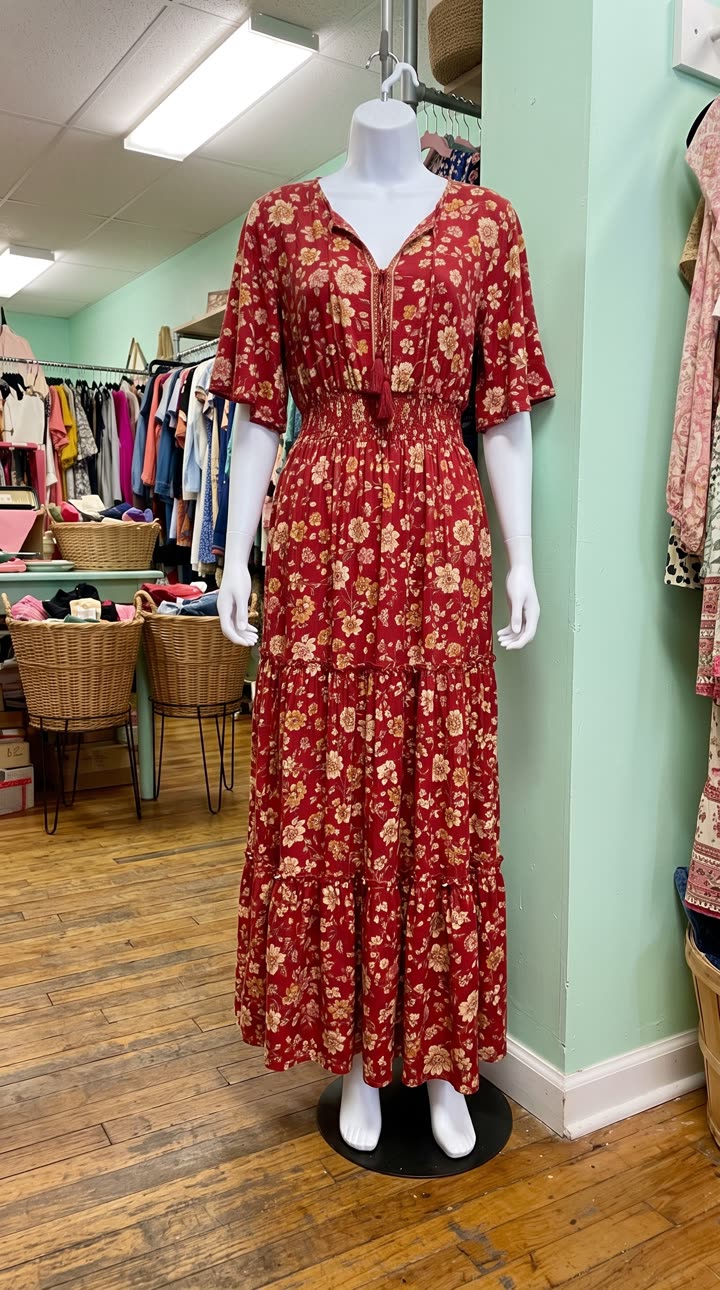
Made with the Get ready with me template from one mannequin photo of the dress, in a few minutes, with no filming or editing. See the exact steps and details we used.
The quickest way: make your listing videos with SuperReels
- Pick a template. The creator demo template makes a UGC-style demo with an AI presenter at home, which suits a listing well. The product ad leads with a problem and ends on a card.
- Add your product photo and details. The product stays close to your photo. Type the one or two selling points in plain words; you never write a prompt.
- Generate. The cost shows before you start and a failed video refunds automatically. A 9:16 video of 10 or 15 seconds arrives in a few minutes, with no watermark.
- Post it. Add it to the listing in Seller Center and post it from your shop account with a product link.
See more ideas on our TikTok Shop video page. Your first video is free with no card, and plans start at $10 a month.
Questions
Can you sell digital products on TikTok Shop?
We could not confirm a simple yes or no. TikTok's Prohibited Products Policy bans some cash equivalents and points to separate Virtual Goods Requirements for what is allowed, so check both before listing anything digital.
Do I need a business to open a TikTok Shop?
No. TikTok offers an individual seller account for people selling under their own name, alongside sole proprietorship and corporation or partnership accounts.
Can I use my existing TikTok account?
Yes. TikTok lets you sign up with an existing TikTok account, or with a phone number or email that is not already linked to another TikTok Shop account.
How many products can my shop show?
TikTok's guide says a shop can display up to 1,000 products online, as of October 2026.