Video ad examples: 8 short formats that sell
In short
The best short video ads follow a handful of proven formats: problem-solution, product demo, unboxing or UGC, before and after, lookbook, behind the scenes, testimonial-style and satisfying process.
Each one works because the viewer knows what is coming and waits for one payoff.
The easiest way to make any of them is SuperReels: pick the matching template, add one product photo and get a finished vertical video ad in a few minutes, with the first one free.
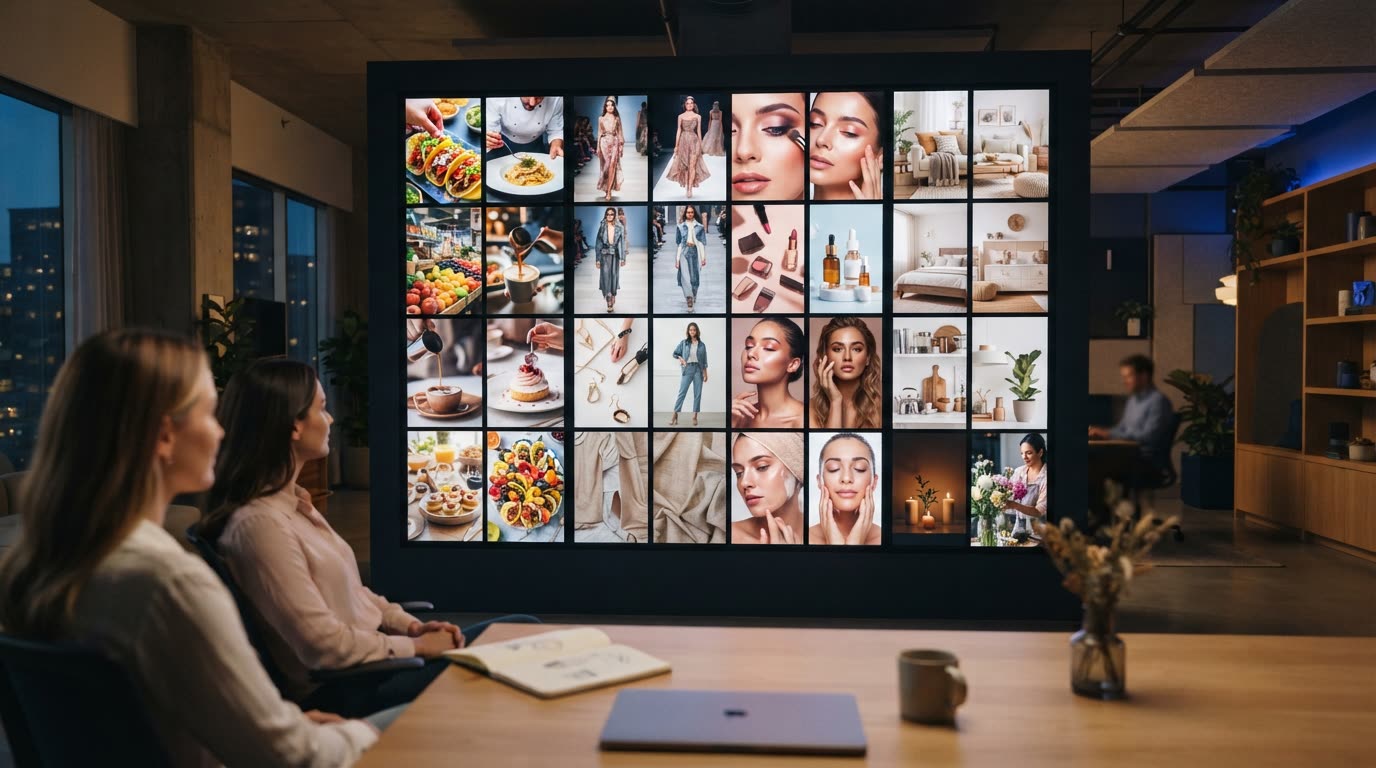
Looking at video ad examples is the fastest way to see what holds attention in a feed. The ads that work rarely depend on a big budget. They use a structure the viewer recognises in the first second, then pay it off before the scroll. Here are eight formats worth copying, what makes each one work, and the template that makes it where we have one.
What makes a short video ad work?
Three things show up in the best video ads, whatever the product:
- A clear opening. The first frame tells the viewer what kind of video this is.
- One payoff. A reveal, a result or a transformation, held until near the end.
- A plain finish. The product and what to do next, on screen long enough to read.
Eight video advertising examples, by format
1. Problem and solution
Show the annoyance, then the product that ends it. It works because the viewer sees their own problem first and stays to watch it solved. The product ad template follows this shape: problem, reveal, features, end card.
2. Product demo
Someone uses the product and shows what it does. Demos answer the question "does it actually work?" without a claim. The creator demo template has an AI presenter show your product at home, in a UGC-style video.
3. Unboxing and UGC
A person opens, holds or talks about the product to camera, as a customer would. It reads as a recommendation rather than an ad. The selfie spokesperson template gives you an AI presenter talking straight to the phone.
4. Before and after
Show the starting state, then the result. The gap between the two is the whole pitch. The room transformation template does this for interiors, decor and trades.
5. Lookbook
Several outfits or looks in quick succession, each one a small reveal. It suits clothing and accessories, where variety is the selling point. Try outfits of the week for five looks, or get ready with me for a try-on.
6. Behind the scenes and making-of
Show where the product comes from: the kitchen, the workshop, the studio. It builds trust because it shows care rather than claiming it. For a place, the drone fly-through template moves through the space in one shot.
7. Testimonial-style
A person explains why they use the product, in their own words. Keep it to one reason. The selfie spokesperson and creator demo templates both suit this style. Never present an AI presenter as a real customer.
8. Satisfying process
Pouring, plating, folding, applying. The motion itself holds the eye, with no need to understand anything. The food and drink ad and the premium skincare commercial both lean on texture and slow detail.
Which format suits your product?
| Product | Format to try first | Template |
|---|---|---|
| Gadget or tool | Problem and solution | Product ad |
| Everyday item | Product demo | Creator demo |
| Clothing | Lookbook | Outfits of the week |
| Garment details | Feature callouts | Fashion callouts |
| Skincare | Satisfying process | Beauty product ad |
| Food or drink | Satisfying process | Food and drink ad |
| Interiors | Before and after | Room transformation |
What the finished video looks like
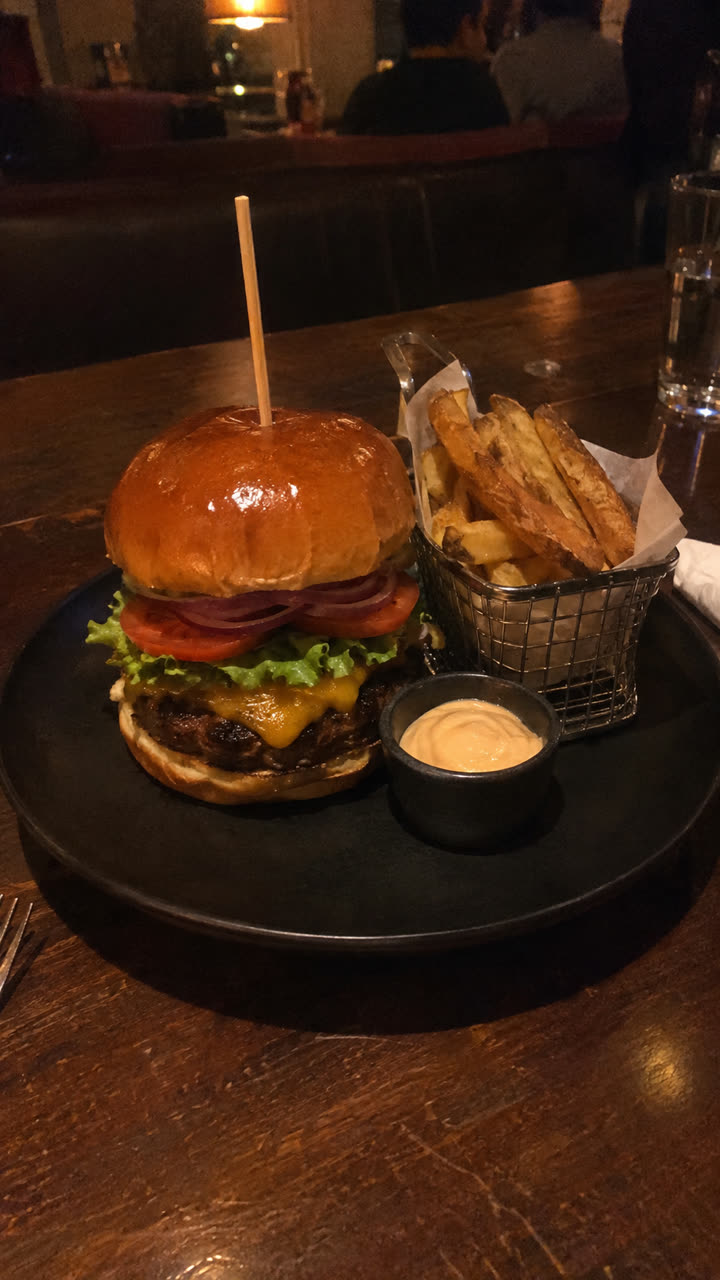
Made with the Food and drink ad template from one photo of the burger, in a few minutes, with no filming or editing. See the exact steps and details we used.
The quickest way: make these video ads with SuperReels
You could film each format yourself, or hire a creator. We recommend SuperReels for product sellers, because every format above already exists as a tested template, so you skip the shoot and the prompt writing.
- Pick a template. Choose the one from the table above, or browse the mockup library.
- Add your product photo and details. Write a few fields in plain words: the product name, the problem, the line for the end card. The product stays close to your photo.
- Generate. The cost shows before you start, and a failed video refunds automatically. A 9:16 video arrives in a few minutes, with no watermark.
- Post it. Share it to Reels, TikTok or Shorts. The vertical frame also suits Stories, so treat the formats above as Instagram Stories ads examples too. See video ads for Instagram.
These digital marketing video ads examples share one habit: they make several versions and keep the one that performs. Because a template keeps the frame and pacing fixed, you can change one detail at a time and compare like with like. The AI ad generator page explains the whole flow, and your first video is free.
Questions
How long should a short video ad be?
Short enough to land one idea. SuperReels makes vertical 9:16 videos of 10 or 15 seconds, which fits feeds and stories.
Do I need to film anything to use these formats?
No. With SuperReels you upload a photo of your product, pick a template and fill in a few details in plain words. The video arrives in a few minutes.
Can I run these videos as paid ads?
Yes. SuperReels videos carry no watermark and commercial use is allowed. Check each ad platform's own rules before you publish.
Which format should I try first?
Start with the one that matches what your product does best: a demo if it is used, a before and after if it changes something, a lookbook if it is worn.